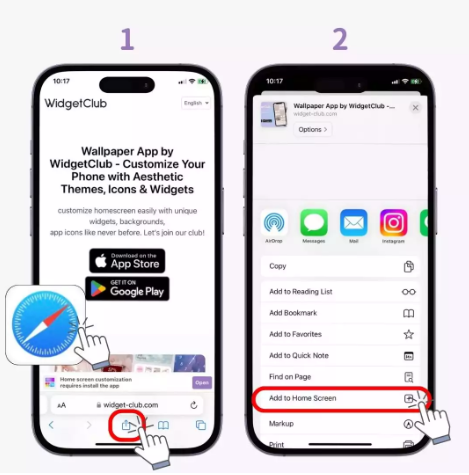
Add the App to Your Home Screen
Open it from your phone in one tap — just like an App Store app.
-
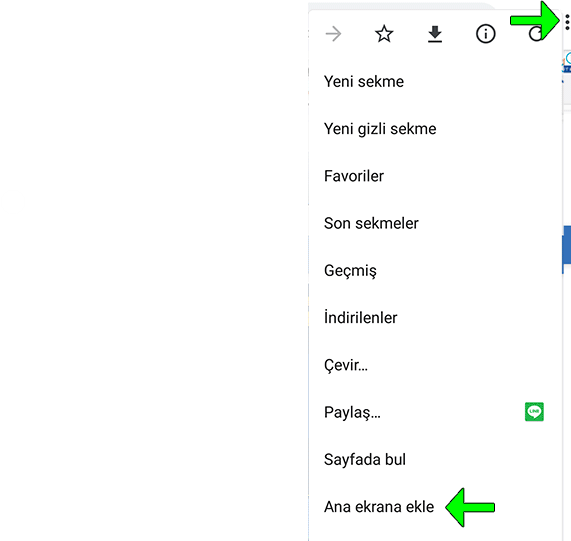
Open Chrome
Make sure you open this site (levelenai.com) in the Chrome browser. -
Tap the three dots ⋮ at the top right
It sits to the right of the address bar. -
Tap “Add to Home screen”
It's near the bottom of the menu. -
Tap the “Add” button
The app is added to your home screen and opens like an App Store app.
-
Open Safari
On iPhone this step doesn't work in Chrome — Safari is required. -
Tap the Share button at the bottom centre
The rectangle icon with an up arrow. -
Tap the “Add to Home Screen” row
It's in the middle of the Share menu. -
Tap “Add” at the top right
The app icon is added to your home screen.